The problem: users download CSS they never use
If you ship one giant stylesheet for every page, you're forcing the browser to download and parse rules that don't apply — and the browser still pays the cost of processing them before rendering.
Chrome DevTools includes a Coverage tool that highlights CSS (and JS) not used on the current page, which makes it easier to spot dead weight and prioritize what to remove as part of a systematic CSS performance optimization workflow.
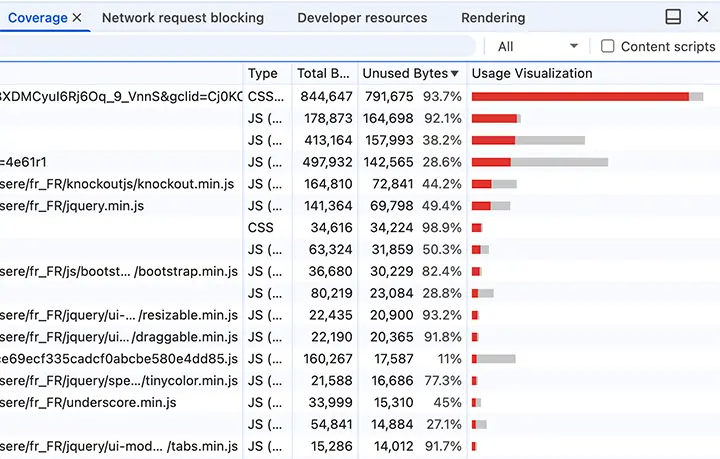
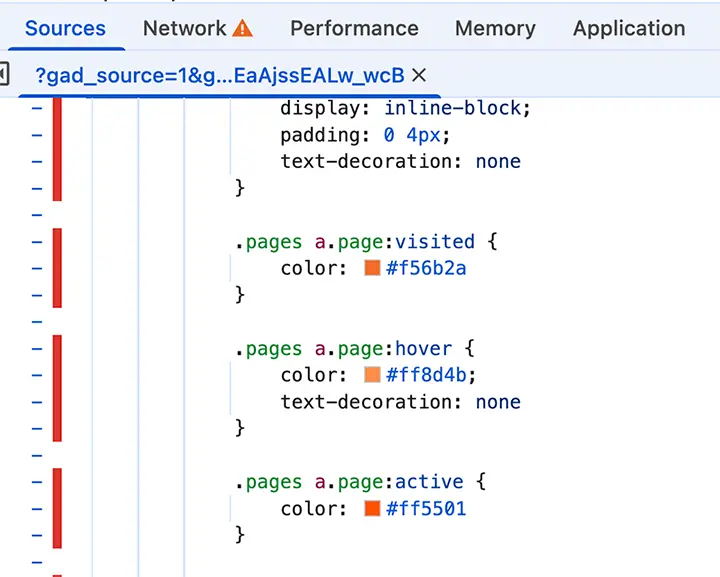
What to look for:
- Huge percentages of unused CSS on key landing pages
- Old components that no longer exist
- Entire feature areas loaded sitewide "just in case"
Best ROI. Remove rules for features you don't ship. Dead components, retired experiments, obsolete overrides.
If pages share only 30–40% of rules, stop shipping everything everywhere. Splitting reduces download time and render tree construction.
Eliminates an early blocking request. Reduces time-to-first-render, but only if the architecture supports it.
Modern build pipelines can purge unused CSS (especially for utility-heavy stacks), but dynamic class names, CMS content, and A/B tests can cause accidental removal.
Safe-guarding tips:
- Maintain an allowlist for dynamic patterns
- Run visual regression tests on critical templates
- Track CSS bundle size over time as a release gate
Lab tools like Lighthouse help you find issues, but SEO wins come from real-user speed and lower friction. Google recommends using performance signals as part of improving overall experience.
FAQ
It can. More CSS increases blocking time and delays initial rendering — even rules that never match any element still cost parse time before the browser can paint.
@import to keep things modular?Avoid @import in production CSS because it creates request chains and late discovery. Use bundling or multiple <link> tags instead.